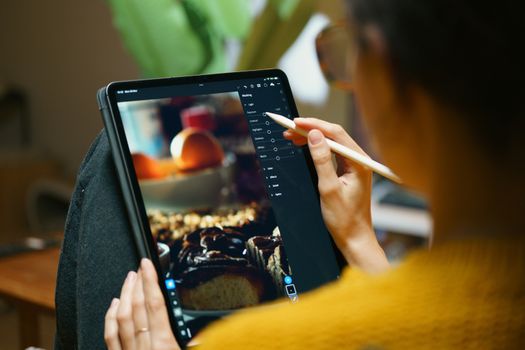
The year is 2025. I’m sitting in a bustling café in Lisbon, the scent of espresso and pasteis de nata filling the air. My latest adventure, a whirlwind tour of Portugal’s stunning coast, is fresh in my mind – and on my camera roll. Scrolling through hundreds of photos from the vibrant streets of Porto, the dramatic cliffs of the Algarve, and the historic charm of Sintra, a familiar pang hits me. Some shots are incredible, perfectly capturing the moment. Others… well, they’re a little flat. A bit dull. They don’t quite convey the feeling of being there.
Sound familiar?
For years, that was my biggest frustration as a travel blogger. I'd trek to incredible locations, snap what I thought were epic photos, only to find them lacking that 'wow' factor when I got home. My early blog posts were filled with decent, but ultimately forgettable, imagery. Then, one rainy afternoon in a tiny hostel in Chiang Mai, a fellow traveler showed me the true power of mobile photo editing. It wasn't about faking it; it was about enhancing it. About bringing out the vibrant colors, correcting the tricky lighting, and making those precious memories truly shine.
Fast forward to September 2025, and the world of mobile photo editing has exploded! What was once a niche skill for pros is now accessible to everyone, thanks to incredibly intuitive apps packed with AI-powered features that feel like magic. If you’re ready to stop just taking photos and start creating art, you’ve come to the right place. This isn't just a list; it's your personal guide to the digital darkroom, curated from countless hours of editing on planes, trains, and even a few ridiculously bumpy tuk-tuks. Let’s transform those travel pics into pure gold!
1. Adobe Lightroom Mobile: The Professional’s Pocket Powerhouse (Evolved for 2025)
If you're serious about your travel photography, Adobe Lightroom Mobile remains the undisputed king. By September 2025, it’s not just a mobile version of its desktop counterpart; it’s a standalone beast, supercharged with AI.
Why I Swear by It: My journey with Lightroom began years ago, struggling to get consistent color across different cameras and lighting conditions. Lightroom Mobile changed everything. I remember vividly editing a sunset shot from Oia, Santorini. The raw file, straight from my camera, was beautiful but a little muted. With Lightroom, I brought out the fiery oranges and deep purples, enhanced the iconic white buildings, and used the selective adjustment tools to add a subtle glow to the Aegean Sea. It transformed a great photo into a breathtaking one that still gets comments today.
What’s New & What’s Essential in September 2025:
- AI-Powered Masking: This is a game-changer. By 2025, Lightroom’s AI can automatically detect skies, subjects, backgrounds, and even specific elements like eyes or teeth. This means you can brighten a dull sky in a snap without painstakingly tracing, or selectively enhance the details on a street vendor's face in a Marrakech souk without affecting the background. It’s like having a digital assistant doing the tedious work for you.
- Generative Fill-Lite (Object Removal): While not as robust as desktop Photoshop, Lightroom Mobile by 2025 offers incredibly intelligent object removal. That annoying tourist who walked into your perfect shot of the Eiffel Tower? Gone in seconds, with the AI seamlessly filling the background. I used this feature just last month to remove a stray plastic bottle from my idyllic beach shot in the Maldives – pure magic!
- Adaptive Presets: Beyond standard presets, 2025 brings "adaptive presets" that intelligently apply adjustments based on the content of your photo. A "vibrant landscape" preset might boost greens and blues more intensely in a nature shot than in a cityscape, all while maintaining a natural look.
- RAW File Editing: Still its core strength. Shooting in RAW (if your phone allows, or with a dedicated camera) gives you the most data to work with, and Lightroom handles it beautifully, preserving incredible detail and dynamic range.
Practical Tips for Travelers:
- Invest in Presets: Whether you create your own or buy them, presets are your consistency secret weapon. One tap applies your signature look to all your photos from a trip, creating a cohesive feed.
- Utilize Selective Adjustments: Don't just apply edits globally. Use the brush, radial, and linear gradient tools (now AI-enhanced!) to brighten faces, darken distracting elements, or add drama to a sky.
- Sync with Cloud: If you have a Creative Cloud subscription, your mobile edits seamlessly sync with your desktop Lightroom, allowing for flexible workflow.
Pricing: Freemium (basic features free, advanced features and cloud sync require an Adobe Creative Cloud subscription, typically $9.99/month for the Photography Plan).
2. Snapseed: Google’s Free, Feature-Rich Powerhouse (Still Going Strong)
For those who want powerful editing tools without the subscription fee, Google's Snapseed remains an absolute must-have in September 2025. It’s incredibly intuitive, yet packed with professional-grade features.
Why I Keep It on My Dock: Snapseed was my first serious mobile editor. I remember being blown away by its "Selective" tool – the ability to tap a specific spot on my photo, pinch to adjust the size of the area, and then swipe to control brightness, contrast, and saturation only in that spot. It was revolutionary! I used it to rescue countless photos from my trip to Iceland, where the moody skies often left landscapes looking a bit flat. I could brighten a specific patch of moss, enhance the blue of a glacial river, or add contrast to a distant mountain, all while keeping the dramatic sky intact.
What Makes It Essential in 2025:
- Enhanced Healing Brush: Snapseed’s healing tool has always been excellent for removing small blemishes or distractions. By 2025, it's even smarter, using more advanced algorithms to seamlessly blend the repaired area with its surroundings. That tiny speck of dust on your lens, or a distracting sign in the background? Gone.
- AI-Powered Perspective Correction: This is particularly useful for architectural shots. Snapseed can now intelligently correct converging lines (where buildings appear to lean inwards) with greater accuracy, making your photos of grand cathedrals or modern skyscrapers look perfectly aligned.
- Intuitive Interface: Despite its power, Snapseed’s swipe-based interface is incredibly user-friendly. You don't need a tutorial to figure out how to brighten an image or add a vignette.
- RAW Support: Like Lightroom, Snapseed supports RAW files, giving you more flexibility for editing high-quality images.
Practical Tips for Travelers:
- Master the "Selective" Tool: Seriously, this is Snapseed’s superpower. Use it to fine-tune specific areas without affecting the rest of your image.
- Experiment with "Tune Image": This is your go-to for overall adjustments like brightness, contrast, saturation, and ambiance.
- Utilize "Drama" and "HDR Scape": For artistic flair, these filters can add incredible depth and intensity, especially to landscapes or moody street scenes. Just use them sparingly to avoid an over-edited look.
Pricing: Free. Yes, completely free!
3. VSCO: The Aesthetic Architect (Crafting Your Signature Vibe)
If your goal is a cohesive, aesthetically pleasing Instagram feed with a distinct mood, VSCO is still your go-to in September 2025. It's less about granular adjustments and more about creating a specific vibe through its iconic film-inspired filters.
Why I Love Its Vibe: VSCO entered my life when I was trying to figure out my "brand" as a travel blogger. I wanted a consistent look across my photos, something that felt authentic and a little bit cinematic. I spent a week in Edinburgh, Scotland, and the weather was, predictably, a mix of dramatic clouds and soft, diffused light. VSCO’s moody, desaturated presets (like the A series or the M series) were perfect for capturing the city’s ancient, mysterious atmosphere. My photos of Edinburgh Castle shrouded in mist or the cobbled streets of the Old Town had a consistent, evocative quality that I couldn’t achieve with other apps.
What’s Trending in 2025:
- Advanced Film Grain & Textures: VSCO continues to refine its film emulations, offering even more realistic grain, light leaks, and dust textures. By 2025, these are more customizable, allowing you to fine-tune the intensity and type of grain to match specific film stocks.
- Video Presets & Editing: While primarily known for photos, VSCO has significantly expanded its video editing capabilities by 2025. You can now apply your favorite photo presets directly to your travel clips, ensuring a seamless visual flow between your photos and short videos/Reels.
- Collaborative Editing & Community Features: VSCO’s community has always been strong. In 2025, expect enhanced features for sharing "recipes" (custom preset settings), collaborating on photo projects with friends, and discovering new aesthetic trends within the app.
Practical Tips for Travelers:
- Find Your Signature Preset(s): Experiment with different VSCO presets until you find a few that resonate with your style and apply them consistently. This is key for a cohesive feed.
- Utilize the Recipe Feature: Once you’ve tweaked a preset and added your favorite adjustments (exposure, contrast, saturation, grain), save it as a "recipe." This allows for one-tap application later.
- Explore the Community: Browse other creators' feeds on VSCO for inspiration and discover new ways to use the app.
Pricing: Freemium (many free presets and tools, full access to the entire preset library and advanced features requires a VSCO X subscription, typically $29.99/year).
4. PicsArt: The Creative Playground (Beyond Basic Enhancements)
If you're looking to do more than just tweak colors and exposure – if you want to create collages, add stickers, remove backgrounds, or even draw on your photos – PicsArt is your ultimate creative hub in September 2025.
My Go-To for Fun & Flair: PicsArt came into its own for me during a vibrant trip to Bali. I had so many photos of stunning temples, lush rice paddies, and delicious street food, and I wanted to combine them in fun, dynamic ways for my Instagram Stories and Reels. PicsArt's collage maker was invaluable, letting me arrange multiple shots into visually exciting layouts. Then, I discovered its background removal tool and started creating whimsical edits – placing myself in front of a giant donut, or adding playful stickers to a photo of a monkey. It’s where I go when I want to break free from traditional editing and just have fun.
What’s Exciting in 2025:
- AI Background Generation: This is a major leap! Instead of just removing a background, PicsArt in 2025 can intelligently generate a new, realistic, or stylized background based on your input. Imagine taking a photo in your hotel room and instantly placing yourself in front of the Northern Lights or a bustling Tokyo street scene.
- Smart Sticker Creation: Turn any object in your photo into a custom sticker with a single tap. The AI cleanly cuts out the object, ready for you to reuse or share. Perfect for creating personalized travel emoji!
- Text-to-Image Elements: Similar to generative AI art tools, PicsArt by 2025 allows you to describe an object or element (e.g., "flying dragon," "vintage hot air balloon") and have the AI generate it directly into your photo, perfectly blended. This opens up incredible possibilities for surreal and imaginative travel art.
- Robust Layering & Blending: For more complex compositions, PicsArt’s layering system has become even more powerful, allowing for intricate blends of photos, textures, and graphic elements.
Practical Tips for Travelers:
- Collage Your Adventures: Don't just post one photo. Use PicsArt to combine multiple shots into dynamic collages for Stories or carousels.
- Experiment with Effects & Stickers: Don't be afraid to get playful! Add quirky stickers, text overlays, or artistic effects to make your photos stand out.
- Remove Backgrounds for Creative Compositions: Cut yourself out of a photo and place yourself onto a new, fantastical background. This is a great way to create truly unique content.
Pricing: Freemium (many tools free, full access to premium content, features, and ad-free experience requires PicsArt Gold subscription, typically $4.66/month billed annually).
5. Lensa & Emerging AI Editors: The Instant Art Revolution (The Future is Now)
The rise of AI-powered photo editors like Lensa (and countless others by 2025) has truly democratized artistic transformation. These apps are less about subtle corrections and more about instant, dramatic stylistic changes.
My Dip into the AI Pool: I first experimented with Lensa when I wanted a new profile picture for my solo trip to Japan. I had a few decent selfies, but they lacked a certain je ne sais quoi. Lensa’s "Magic Avatars" feature, even in its early stages, was mind-blowing. It took my ordinary selfies and transformed them into dozens of stylized portraits – some like oil paintings, others like anime characters, and some with a sleek, futuristic vibe. It was an instant way to create something unique and shareable, sparking conversations every time I posted one. By September 2025, these apps have evolved far beyond just avatars.
What’s Astonishing in 2025:
- Hyper-Realistic Style Transfer: Beyond just "painting" your photo, these apps in 2025 can realistically transfer the style of one image onto another. Imagine taking a photo of a bustling market in Vietnam and applying the artistic brushstrokes of a famous impressionist painter, or giving your mountain landscape the ethereal glow of a fantasy movie scene.
- Text-to-Edit Functionality: This is the pinnacle of AI editing. Instead of sliders and buttons, you can simply type what you want: "Make the sky more dramatic," "Add a rainbow," "Change my shirt to blue," or "Give this photo a vintage film noir look." The AI interprets your command and applies the changes intelligently.
- Intelligent Lighting & Mood Adjustment: These apps can analyze the mood of your photo and suggest optimal lighting adjustments to enhance it, or even change the time of day (e.g., transforming a daytime shot into a magical golden hour scene) with incredible realism.
- One-Tap Enhancements: For quick fixes, AI editors offer "enhance" buttons that automatically correct exposure, color, and sharpness based on what the AI deems optimal for your image.
Practical Tips for Travelers:
- Use for Profile Pics & Unique Content: These apps are fantastic for creating eye-catching profile pictures or highly stylized content that stands out.
- Experiment with Different Styles: Don’t be afraid to try various artistic filters and see how they transform your travel memories.
- Mind the Realism: While powerful, always review the results to ensure they still convey the authentic spirit of your travel, unless you’re intentionally going for a surreal look.
Pricing: Typically subscription-based (e.g., Lensa offers a subscription for full feature access, often with a free trial or pay-per-pack options for specific features). Prices vary widely depending on the app.
6. Mastering Your Mobile Workflow: Beyond the Apps
Having the best apps is only half the battle. A streamlined workflow ensures you're efficiently editing, sharing, and preserving your precious travel memories.
- Shoot in RAW (If Possible): Many modern smartphones (and certainly dedicated cameras) allow you to shoot in RAW format. This captures much more image data, giving you greater flexibility in editing apps like Lightroom and Snapseed without losing quality.
- Organize as You Go: Don't wait until you have 5,000 photos. At the end of each day, quickly favorite your top 10-20 shots. Delete obvious duds. This saves immense time later. I use Google Photos' auto-backup and then its "Favorites" feature constantly while traveling.
- Batch Editing is Your Friend: Once you've perfected an edit on one photo (e.g., a specific preset in Lightroom or a recipe in VSCO), copy those settings and paste them onto similar photos taken in the same lighting conditions. This ensures consistency and saves hours.
- Backup, Backup, Backup: Your phone could get lost or stolen. Ensure your photos are automatically backing up to a cloud service (Google Photos, iCloud, Dropbox, OneDrive). I even carry a small, portable SSD for an extra layer of security for my most important RAW files.
- Consistency is Key for Your Brand: If you're a blogger or content creator, aim for a consistent look and feel across your photos. This creates a recognizable personal brand and makes your feed more appealing.
- Don't Over-Edit: The goal is to enhance, not to create something completely artificial (unless that's your specific artistic choice!). Subtle adjustments often have the most impact. Let the natural beauty of your travel destination shine through.
Conclusion: Your Travel Stories, Reimagined
From the ancient ruins of Rome to the neon glow of Tokyo, your travel photos are more than just images; they're snippets of your story, frozen in time. In September 2025, with these incredible photo editing apps at your fingertips, you have the power to transform those snippets into vibrant, compelling narratives that truly capture the magic of your adventures.
Whether you're a seasoned pro wielding Lightroom's AI tools, a budget traveler making magic with Snapseed, an aesthetic enthusiast crafting vibes with VSCO, a creative spirit playing with PicsArt, or an early adopter embracing the instant art of Lensa, there's an app (or a combination!) perfectly suited for your journey.
So, next time you're scrolling through your camera roll, don't just see a photo. See a canvas. See a story waiting to be told, waiting to be enhanced, waiting to be shared. Download an app, experiment, and let your creativity flow. Your next viral travel photo is just a few taps away!
What are YOUR go-to travel editing apps for 2025? Share your favorites and your best tips in the comments below! And don't forget to tag #TripsoraTravelPics on Instagram so we can see your stunning creations!
---