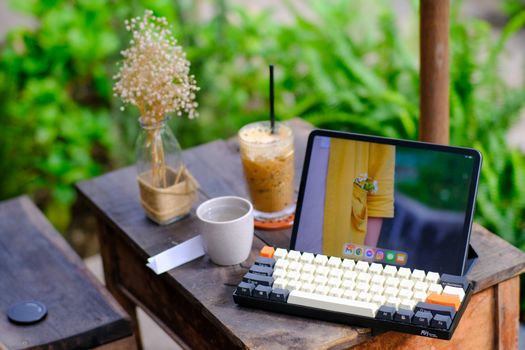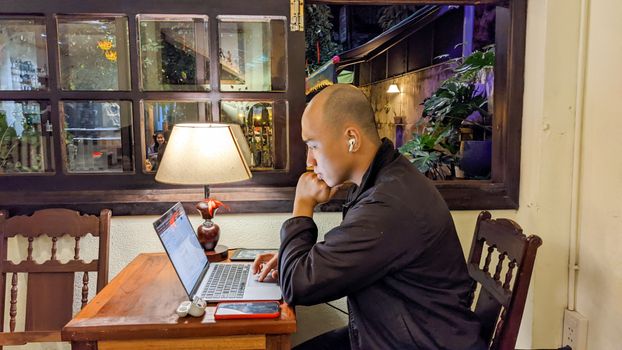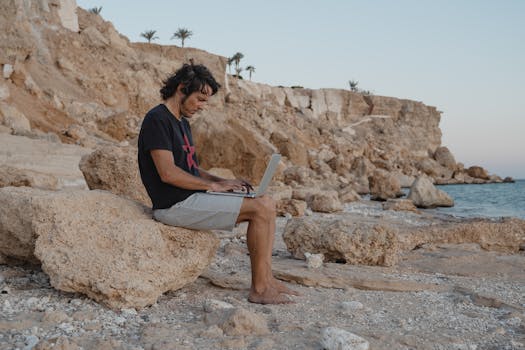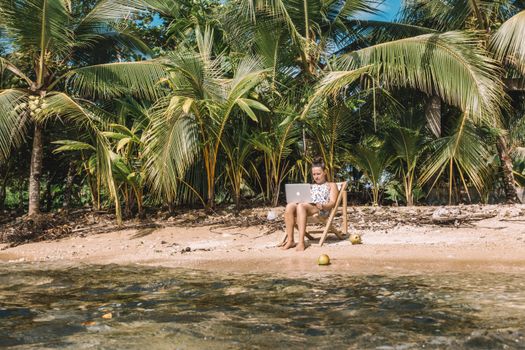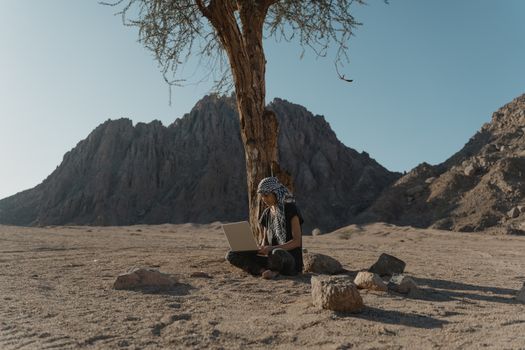
Picture this: I’m perched on a cliffside cafe in Santorini, the Aegean Sea a dazzling sapphire below, a gentle breeze ruffling my hair. My laptop is open, a second portable screen mirroring its display, a compact ergonomic keyboard clicking softly under my fingers. A steaming cup of Greek coffee sits beside me. I’m not on vacation; I’m working, tackling a crucial client project with the same efficiency I’d have in a traditional office, perhaps even more so thanks to the inspiring view.
Sounds like a dream, right? For years, the idea of truly working from anywhere felt like a compromise. I’d try to balance a laptop on my knees in a cramped hostel common room, squint at a tiny screen in a bustling airport lounge, or struggle with a wonky internet connection from a remote mountain lodge. My productivity would plummet, my neck would ache, and the "freedom" of travel often felt like a frustrating battle against inadequate setups.
Then came the epiphany. It wasn't about where I worked, but how I worked. I realized that with the right gear – thoughtfully chosen, lightweight, and perfectly organized – I could create a fully functional, highly productive workspace that literally fit into my backpack. This wasn't just about throwing a laptop in a bag; it was about curating a mobile office that blew my mind in terms of capability and convenience.
And today, I’m going to share the secrets to these mind-blowing backpack workspace setups. Whether you're a full-time digital nomad, a remote worker seeking new horizons, or just someone who craves the flexibility to work from a coffee shop instead of a cubicle, this guide is for you. Get ready to transform your travel experience and unlock a new level of productivity.
The Brains of the Operation: Your Core Device
Let's start with the heart of any mobile office: your primary computing device. This isn't just a laptop; it's your command center, your creative hub, your connection to the world. Choosing the right one is paramount.
Laptops vs. Tablets: For most serious work (especially if you're writing, coding, designing, or video editing), a laptop is still king. The full operating system, robust processing power, and comfortable keyboard can't be beaten. However, high-end tablets with keyboard cases (like an iPad Pro with a Magic Keyboard or a Samsung Galaxy Tab S series) are becoming incredibly powerful and can handle many tasks, especially if your workflow is cloud-based or app-centric.
Key Considerations:
- Weight & Size: This is non-negotiable for a backpack setup. Look for ultrabooks (like the Dell XPS 13, MacBook Air, or Lenovo ThinkPad X1 Carbon) that weigh under 3 lbs (1.4 kg) and have slim profiles. My current MacBook Air M2 is a dream – incredibly powerful for its size and weight.
- Battery Life: You won't always have access to an outlet. Aim for 8+ hours of real-world battery life. Imagine working from a stunning beach cafe in Tulum, Mexico, only to have your laptop die mid-sentence. Been there, done that, never again!
- Processing Power: Match this to your needs. A writer might be fine with an i5 or M1 chip, while a video editor will need an i7/i9 or M2/M3 Pro/Max.
- Screen Size: 13-14 inches is the sweet spot for portability and usability. Anything larger starts to add significant bulk.
Personal Anecdote: My first "travel laptop" was a chunky 15-inch beast that felt like a brick after a few hours of walking through Rome. Upgrading to a lightweight 13-inch ultrabook was a revelation. It not only saved my shoulders but also meant I could easily pull it out on crowded trains or tiny cafe tables without feeling like I was taking over the entire space.
Price Range: Expect to invest anywhere from $800 to $2000+ for a truly capable and portable primary device. Think of it as an investment in your freedom.
Doubling Your Vision: The Portable Monitor Revolution
Here's where things get really mind-blowing for many. If you're used to a dual-monitor setup at home, the idea of working on a single laptop screen can feel like a straightjacket. Enter the portable monitor – a game-changer for productivity on the go.
Why a Second Screen is Crucial: For me, it's about context switching. Having research notes open on one screen and my writing document on another, or my design software on one and reference images on the other, dramatically reduces cognitive load and speeds up my workflow. I once tried to edit a complex video project on a single screen in a co-working space in Medellín, Colombia, and it felt like trying to run a marathon with one leg tied behind my back. Never again.
Types & Considerations:
- USB-C Powered: These are the gold standard. A single USB-C cable handles both power and video, keeping your setup clean and simple.
- Weight & Thickness: Look for models under 2 lbs (0.9 kg) and less than 0.5 inches (1.2 cm) thick. Brands like ASUS ZenScreen, ViewSonic, and various lesser-known but reliable brands (e.g., Lepow, Arzopa) offer excellent options.
- Size: 15.6 inches is the most common and practical size, offering plenty of screen real estate without being too bulky.
- Built-in Stand/Cover: A magnetic cover that doubles as a stand is a huge plus.
Personal Anecdote: I was once working on a travel guide from a guesthouse balcony overlooking the rice paddies of Ubud, Bali. The tranquility was perfect, but the detailed research required constant tab switching. Pulling out my portable monitor and setting up a dual-screen display felt like magic. I could cross-reference maps, photos, and my draft simultaneously, making the process not only faster but genuinely enjoyable. It felt like I had brought a piece of my high-performance office right into paradise.
Price Range: A good portable monitor will typically set you back anywhere from $150 to $400, depending on brand, features (touchscreen, 4K), and build quality. It’s one of the best investments you can make for mobile productivity.
Powering Your Wanderlust: Batteries & Charging Solutions
What's the point of a mind-blowing setup if it dies on you in the middle of nowhere? Reliable power is non-negotiable.
High-Capacity Power Banks: Not just for your phone anymore! There are power banks specifically designed to charge laptops, offering 60W, 100W, or even higher power delivery via USB-C. Look for capacities of 20,000mAh or more from reputable brands like Anker, Zendure, or RAVPower. These can give your laptop several extra hours of life. I always carry a 26,800mAh power bank (the maximum allowed on planes for carry-on) and it's saved me from countless low-battery panics.
GaN Chargers: Gallium Nitride (GaN) technology has revolutionized chargers, making them incredibly compact yet powerful. A single multi-port GaN charger (e.g., 65W or 100W) can power your laptop, phone, and portable monitor simultaneously, replacing several bulky chargers. This is a huge space and weight saver.
Universal Travel Adapter: A good quality universal adapter with multiple USB ports is essential. My favorite has USB-C and USB-A outputs built-in, so I only need one plug for all my devices.
Personal Anecdote: I was on an overnight train from Bangkok to Chiang Mai, trying to finish an urgent blog post. The train's power outlets were unreliable, flickering on and off. My laptop was at 15%. Thanks to my trusty high-capacity power bank, I not only finished the post but also had enough juice to charge my phone and headphones. It turned a potential disaster into a triumphant productivity session, all while watching the Thai countryside whiz by.
Price Range: Power banks for laptops range from $70-$150, GaN chargers from $30-$80, and universal adapters from $20-$50.
Ergonomics on the Go: Keyboards, Mice & Stands
Working from anywhere shouldn't mean sacrificing your posture or comfort. Ergonomics are crucial for sustained productivity and preventing aches and pains.
Portable Keyboards: Ditch the cramped laptop keyboard for long typing sessions.
- Foldable Bluetooth Keyboards: Ultra-compact and lightweight, these fold down to pocket size. While not always full-sized, they offer a much better typing experience than a laptop keyboard.
- Compact Mechanical Keyboards: For those who prioritize typing feel, 60% or 65% mechanical keyboards can be incredibly satisfying and surprisingly portable. My Keychron K3 Pro is a fantastic low-profile option.
Compact Mice: Trackpads are fine for quick tasks, but a proper mouse offers precision and comfort.
- Bluetooth Mice: No dongle needed, freeing up a USB port. Look for compact, low-profile designs.
- Vertical Mice: If you suffer from wrist pain, a compact vertical mouse can be a game-changer, promoting a more natural hand position.
Portable Laptop Stands: Elevating your screen to eye level is vital for neck health.
- Foldable Stands: Brands like Roost or their numerous alternatives are fantastic. They fold down to a stick-like form factor and elevate your laptop significantly.
- Adhesive Stands: Products like MOFT stands stick to the bottom of your laptop and fold out, offering a subtle but effective lift.
Personal Anecdote: After a week of hunched-over typing in a gorgeous but ergonomically challenged riad in Marrakech, my neck and shoulders were screaming. Investing in a portable laptop stand and a compact Bluetooth keyboard literally saved my trip. I could still enjoy the vibrant atmosphere of the courtyard while working in comfort, preventing what could have become a debilitating issue. It’s not just about productivity; it’s about health and longevity on the road.
Price Range: Portable keyboards $30-$150, compact mice $20-$80, portable stands $20-$70.
Staying Connected & Focused: Internet & Audio
A portable office is useless without reliable internet and the ability to focus amidst distractions.
Mobile Hotspots & Connectivity:
- Phone Tethering: Your smartphone can often be your best hotspot. Ensure your data plan is robust enough for your needs.
- Dedicated Mobile Hotspots: Devices like the Netgear Nighthawk M6 Pro offer blazing-fast 5G speeds and can connect multiple devices, perfect for heavy users or teams.
- Local SIM Cards/eSIMs: Always research local SIM cards upon arrival for affordable data. eSIMs (like Airalo or Holafly) are even more convenient, allowing you to buy data plans digitally before you even land, bypassing the hassle of physical SIM cards. I rely heavily on eSIMs now; they've simplified my connectivity across dozens of countries.
Noise-Cancelling Headphones: These are your productivity superpowers. Whether you're in a bustling airport, a noisy cafe, or a shared Airbnb, good noise-cancelling headphones (like Sony WH-1000XM5 or Bose QuietComfort series) create an instant bubble of calm. They're essential for deep work, video calls, and just preserving your sanity.
Personal Anecdote: I was on a crucial video call with a client from a bustling market in Ho Chi Minh City, Vietnam. The cacophony of motorbikes, street vendors, and lively chatter was overwhelming. Slipping on my Bose QuietComfort headphones was like hitting a mute button on the world. My client had no idea I wasn't in a quiet office, and I could focus entirely on our conversation. They are, without a doubt, one of my most indispensable travel tech items.
Price Range: Mobile hotspots $100-$500 (plus data plans), eSIMs vary, noise-cancelling headphones $150-$400.
The Unsung Hero: Your Backpack
Your backpack isn't just a container; it's an integral part of your mobile office ecosystem. A well-designed backpack protects your gear, keeps you organized, and makes your entire setup accessible and comfortable to carry.
Key Features for a Tech-Focused Traveler:
- Dedicated Laptop Compartment: Padded, easy to access, and ideally suspended off the bottom to protect against drops.
- Plenty of Organization: Multiple pockets, sleeves, and compartments for cables, chargers, power banks, and small accessories. Think "a place for everything, and everything in its place."
- Water Resistance: Essential for protecting expensive electronics from unexpected rain showers or spills.
- Comfortable Straps & Back Panel: Especially if you're carrying a full setup, good ergonomics prevent fatigue. Look for padded, breathable materials.
- Pass-Through Sleeve: For sliding over luggage handles, a lifesaver in airports.
- Accessible Pockets: For quick grabs like your phone, passport, or water bottle.
Specific Types:
- Tech Travel Backpacks: Brands like Peak Design, Nomatic, Aer, or Thule design bags specifically with tech-heavy travelers in mind, offering exceptional organization and protection.
- Minimalist Daypacks: If your setup is ultra-minimal, a good quality, padded daypack from brands like Evergoods or Bellroy can work.
Personal Anecdote: I once tried to fit all my gear into a standard hiking backpack for a trip through Patagonia. It was a chaotic mess. Chargers tangled, laptop jostled, and finding anything felt like a treasure hunt. Switching to a dedicated tech travel backpack from Nomatic was a revelation. Every cable had a home, my laptop was secure, and I could pull out my passport or a charger without unpacking half my life. Going through airport security in Santiago, Chile, became a breeze – everything neatly organized in its own compartment.
Price Range: A quality tech-focused travel backpack can range from $150 to $350+. Consider it a long-term investment in protecting your valuable gear and streamlining your workflow.
Software, Security & Smart Habits: The Digital Nomad's Toolkit
Having the physical gear is only half the battle. Your digital environment and habits are just as crucial for a mind-blowing mobile workspace.
Cloud Storage & Syncing:
- Google Drive, Dropbox, OneDrive: Essential for accessing your files from any device, anywhere. Always keep your work synced to the cloud.
- Offline Access: Configure critical files for offline access, just in case you find yourself without internet (e.g., a long bus ride through the Peruvian Andes).
VPN (Virtual Private Network):
- Security: A VPN encrypts your internet traffic, protecting your data on public Wi-Fi networks (cafes, airports, hostels). This is non-negotiable for digital nomads. Services like ExpressVPN or NordVPN are highly recommended.
Password Manager:
- Dashlane, LastPass, 1Password: Securely store all your passwords, generate strong unique ones, and auto-fill logins. Essential for both security and convenience.
Digital Minimalism & Organization:
- Desktop Clutter: Keep your desktop clean. Use folders, not random files.
- Browser Tabs: Use tab managers or discipline to avoid tab overload.
- Notifications: Minimize distractions by turning off unnecessary notifications.
- File Naming: Consistent, logical file naming conventions save hours of searching.
Backup Strategy:
- Redundancy: Cloud storage is great, but also consider an external SSD for local backups, especially for large media files. I carry a compact 1TB SSD that fits in my palm.
- 3-2-1 Rule: 3 copies of your data, on 2 different media, with 1 copy off-site (cloud).
Smart Habits:
- Pre-Charge Everything: Before a travel day, ensure all your devices and power banks are fully charged.
- Pack Smart, Unpack Smart: Develop a routine for packing and unpacking your tech. This minimizes forgotten items and speeds up setup/teardown.
- Regular Software Updates: Keep your operating system and apps updated for security and performance.
Personal Anecdote: There was a terrifying moment when my laptop suffered a catastrophic failure in a remote part of Thailand. Panic set in. But then I remembered my rigorous backup routine: everything was synced to Google Drive, and I had a recent backup on an external SSD. Within hours, I was able to borrow a friend's laptop, download my essentials, and continue working with minimal interruption. It was a stark reminder that physical gear is only as good as the digital habits that protect your work.
Conclusion: Your World, Your Office
The dream of true location independence isn't just a fantasy; it's a tangible reality for those willing to invest in the right tools and habits. By thoughtfully curating a backpack workspace setup, you're not just buying gadgets; you're investing in freedom, flexibility, and unprecedented productivity.
Imagine the possibilities: finishing a presentation overlooking the Eiffel Tower, editing photos from a lakeside cabin in Canada, or writing your next big idea from a bustling souk in Istanbul. These mind-blowing backpack setups empower you to turn the world into your office, blending work and wanderlust seamlessly.
So, what are you waiting for? Start building your ultimate mobile office today. Research the gear, plan your setup, and prepare to blow your own mind with what you can achieve from anywhere on Earth.
What's in your ultimate backpack workspace? Share your game-changing gear and tips in the comments below! We'd love to hear your secrets to working from anywhere.
---