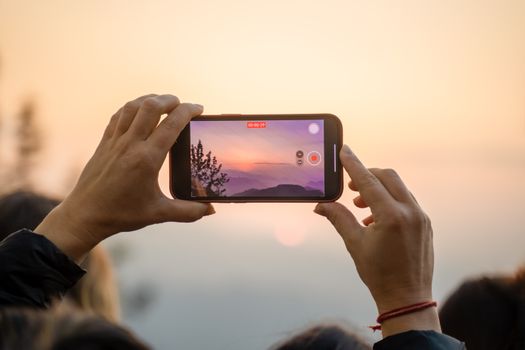
Remember that feeling? You’re scrolling through Instagram, lost in a feed of impossibly beautiful travel content. A sunset melts over Santorini, clouds race across the Dolomites, a bustling market in Marrakech comes alive in a dizzying dance of color and movement. And you think, "How do they do that? How do they capture such magic? It must be expensive gear, years of training, a secret society of travel videographers..."
I used to think the exact same thing. For years, I admired from afar, feeling like creating those captivating time-lapse videos was an exclusive club I wasn't invited to. My attempts were shaky, too fast, or just plain boring. I'd trek to a stunning viewpoint, set up my phone, hit record, and inevitably end up with a shaky, unwatchable mess that did no justice to the incredible scene before me. My travel memories deserved better!
Then, during a solo trip through Southeast Asia, something clicked. I was perched on a rooftop bar in Bangkok, watching the city lights flicker on, cars forming rivers of red and white on the congested streets below. I saw another traveler, not with a massive DSLR, but with a small tripod and a smartphone, meticulously setting up a shot. Curiosity (and a Chang beer) got the better of me, and I struck up a conversation. What she showed me changed my entire approach to travel videography.
It turns out, the "secrets" aren't secrets at all. They're practical, accessible techniques that anyone with a smartphone and a bit of patience can master. The Instagram influencers don't want you to know because it demystifies their 'expert' status, but I'm here to spill the beans. Get ready to transform your travel photography and video game from "meh" to "mesmerizing."
The Magic of Motion: Why Time-Lapse Elevates Your Travel Story
Before we dive into the how-to, let's talk about why time-lapse is such a powerful tool for travelers. It's more than just a pretty video; it's a storytelling device that captures the essence of movement and the passage of time in a way still photos simply can't.
- Compress Time, Expand Impact: A time-lapse condenses minutes, hours, or even days into a few breathtaking seconds. Imagine a full sunrise or sunset, the ebb and flow of a tide, or the vibrant chaos of a city street, all sped up to reveal patterns and beauty you'd miss in real-time.
- Unique Perspective: It allows you to showcase the dynamism of a place. The way clouds drift over a mountain range, the hustle of commuters, the stars tracing arcs across the night sky – these elements add depth and drama to your travel narrative.
- Stand Out in a Crowded Feed: In a world saturated with travel photos, a well-executed time-lapse grabs attention. It’s engaging, shareable, and instantly makes your content more memorable. It's the difference between showing someone a photo of a waterfall and showing them the powerful, continuous flow of water over time.
- Emotional Resonance: There’s something inherently poetic about watching time unfold. It evokes a sense of wonder, nostalgia, and appreciation for the fleeting moments of travel.
The "secret" influencers don't want you to know is that this powerful tool is no longer exclusive to those with expensive gear. Your pocket-sized supercomputer (aka your smartphone) is more than capable, and with the right approach, you can create professional-looking time-lapses that will make your followers hit that save button.
Gear Up (Without Breaking the Bank): Your Essential Time-Lapse Toolkit
Forget the fancy cameras and expensive sliders for now. We’re going lean, mean, and effective. The beauty of modern technology is that you likely already own 90% of what you need.
- Your Smartphone (The Unsung Hero):
- What to look for: Most modern smartphones (iPhone 8 or newer, recent Samsung Galaxy, Google Pixel, etc.) have excellent cameras capable of shooting high-quality video and often have a built-in time-lapse mode.
- My Experience: My first truly viral time-lapse, capturing the mesmerizing ebb and flow of boats in Halong Bay, Vietnam, was shot on an iPhone 11 Pro. It proved that the device matters less than the technique.
- Pro Tip: Ensure your phone has plenty of storage! Time-lapses, especially longer ones, can eat up gigabytes. Clear out old photos and videos before a big shoot.
- A Stable Tripod (Non-Negotiable!):
- Why it's crucial: The absolute, #1 most important piece of gear. Time-lapses are about motion within the frame, not camera motion. A shaky camera ruins everything.
- Options:
- Mini-Tripod/Flexible Tripod: My go-to is a Joby Gorillapod (around $30-50 USD). It's lightweight, compact, and its flexible legs can grip onto railings, branches, or uneven surfaces. Perfect for discreet shooting in busy spots. I've clamped my Gorillapod to a fence overlooking the caldera in Santorini and to a park bench in Central Park – its versatility is unmatched.
- Lightweight Travel Tripod: If you want more height, look for a compact, aluminum travel tripod (e.g., Amazon Basics, Manfrotto BeFree) that folds down small (around $25-100 USD). These are great for sunsets over landscapes or cityscapes where you need a bit more elevation.
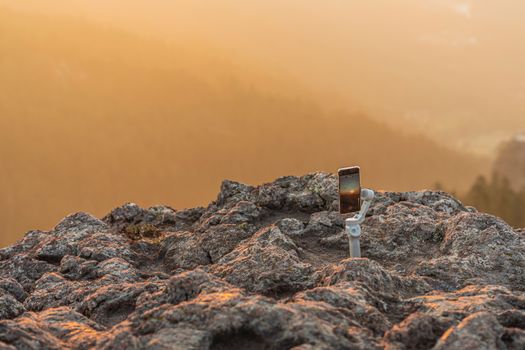
- Mount: Don't forget a phone mount that attaches your phone securely to the tripod! Many tripods come with one, or you can buy one for under $10.
- Portable Power Bank (Your Best Friend):
- Why it's crucial: Shooting time-lapses, especially long ones, is a massive battery drain. Your phone will be constantly active.
- Recommendation: A high-capacity power bank (10,000 mAh or more) is essential. I always carry one from Anker or RAVPower (around $30-60 USD).
- My Experience: I learned this the hard way trying to capture a full starry night sky over the Atacama Desert. My phone died halfway through, leaving me with a half-baked video and a lesson learned. Always, always, have backup power.
- Optional, but Nice-to-Have:
- External Wide-Angle Lens for Phone: If you want a broader perspective, clip-on wide-angle lenses for smartphones (e.g., Moment, Apexel) can dramatically improve your shots (around $20-100 USD).
- ND Filter: For bright daylight time-lapses, an ND (Neutral Density) filter acts like sunglasses for your camera, allowing you to use slower shutter speeds for smoother motion blur in your time-lapse. Essential for capturing silky smooth water or blurred daytime traffic. (Clip-on phone ND filters are available for around $15-50).
Finding Your Time-Lapse Magic: Location, Light, and Lenses
A great time-lapse starts with a great scene. You're looking for motion, light, and a compelling composition.
- Scout Your Location for Dynamic Motion:
- Nature: Sunrises, sunsets, cloud movement (especially dramatic ones over mountains or seascapes), ocean waves crashing, waterfalls, blooming flowers, starry night skies (if you’re away from light pollution).
- Cityscapes: Busy streets with cars and pedestrians, city lights turning on at dusk, construction sites, bustling markets, reflections in puddles after rain.
- Landmarks: Iconic buildings with people flowing around them, flags waving, fountains.
- My Anecdote: One of my favorite time-lapses was shot from a balcony overlooking the Grand Canal in Venice. I captured the gondolas and vaporettos gliding by, the light changing on the ancient buildings, and the subtle movement of people on the bridges. It was simple, yet incredibly evocative.
- Embrace the Light (and its absence):
- Golden Hour (Sunrise/Sunset): The absolute best time for warm, dramatic light. Clouds often catch incredible colors.
- Blue Hour (Just after sunset/before sunrise): That magical twilight period when the sky turns deep blue, and city lights start to pop.
- Overcast Days: Perfect for capturing dramatic cloud movement without harsh shadows.
- Night: For starry skies, city lights, or light trails from cars. You’ll need a very stable tripod and specific settings for this (more on that below).
- Avoid: Harsh midday sun, especially for beginners. It often creates flat, uninteresting light and strong shadows.
- Frame Your Shot Like a Pro:
- Composition Basics: Use the rule of thirds. Look for leading lines (roads, rivers) to draw the eye. Include foreground interest (a tree, a railing) to add depth.
- What's Moving?: Crucially, identify what will be moving in your frame. Is it clouds? People? Cars? Water? This movement is the star of your time-lapse.
- Keep it Stable: Once your phone is on the tripod, don't touch it! Even a slight bump can ruin hours of shooting.
Shooting Like a Pro: Settings & Technique (Even with a Phone!)
This is where the magic happens. The key is consistency and control.
- Smartphone Specifics (The Easiest Route):
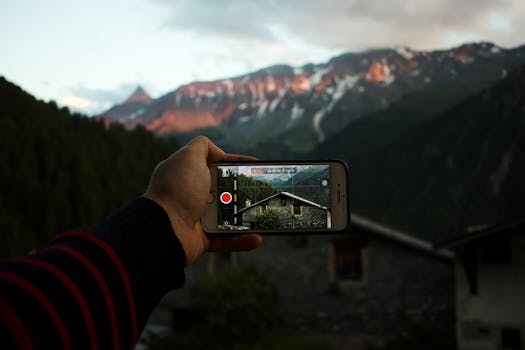
- Built-in Time-Lapse Mode: Most phones have one (e.g., iPhone's "Time-Lapse" mode). It's super easy: mount phone, open camera, swipe to time-lapse, hit record.
- Pros: Instant, simple, often produces decent results for short clips.
- Cons: Limited control over interval (how often it takes a photo) and exposure. It’s essentially a "black box" – you hit record, and it does its thing, often speeding up the footage as you record longer.
- Third-Party Apps (Recommended for More Control):
- Lapse It (iOS/Android, free with pro upgrade): My personal favorite. Allows you to set precise intervals, resolutions, and even apply filters.
- Framelapse (Android, free with pro upgrade): Similar to Lapse It, offering excellent control over intervals, focus, and exposure.
- Hyperlapse from Instagram (iOS only): Creates stabilized hyperlapses (where you move the camera), but can also be used for static time-lapses.
- Key Feature to Look For: Interval control. This lets you decide how often your camera takes a picture.
- Fast movement (people, cars): 1-2 second interval.
- Clouds, sunrise/sunset: 3-5 second interval.
- Stars, slow-moving shadows: 10-30 second interval.
- Crucial Step: Lock Exposure and Focus! This is vital to prevent "flicker" (sudden brightness changes) in your final video.
- How: In most camera apps (including built-in ones and third-party), tap and hold on the brightest part of your scene (e.g., the sky, a light source) until "AE/AF Lock" (Auto Exposure/Auto Focus Lock) appears. This tells your phone to keep the brightness and sharpness consistent throughout the shoot. This one tip alone will elevate your time-lapses dramatically!
- Dedicated Camera (Briefly, for the Enthusiast):
- If you have a mirrorless or DSLR, you'll use its built-in intervalometer (or an external one).
- Manual Mode (M): Always shoot in manual to prevent exposure changes.
- ISO: Keep it as low as possible (100-400) for clean images.
- Aperture: f/8 to f/11 for maximum sharpness across the scene.
- Shutter Speed: This depends on your interval and desired motion blur. A good rule of thumb is that your shutter speed should be half of your interval or shorter. E.g., for a 5-second interval, your shutter speed could be 2.5 seconds or less. This ensures the camera has time to process between shots.
- RAW vs. JPEG: JPEG is fine for beginners. RAW gives you more editing flexibility later but takes up more space.
- Pre-Shoot Checklist (Don't Skip These!):
- Charge Everything: Phone and power bank.
- Clear Storage: You don't want to run out mid-shoot.
- Airplane Mode: Put your phone in airplane mode to prevent calls/notifications from interrupting the shoot and to save battery.
- Screen Brightness: Turn it down to save battery.
- Double-Check Stability: Give your tripod a little nudge to ensure it's rock-solid.
- Patience: Time-lapses require time. A 20-second time-lapse of clouds might take 30-60 minutes to shoot. Bring a book, listen to a podcast, or just soak in the view!
The Art of the Edit: Bringing Your Time-Lapse to Life
Shooting is only half the battle. The editing process is where your time-lapse truly comes alive, adding polish and emotional impact.
- On Your Phone (The Easiest & Most Accessible Way):
- Basic Adjustments: Even if you shot using your phone's built-in time-lapse, you can still enhance it. Use your phone's native photo/video editor to adjust brightness, contrast, saturation, and crop. These small tweaks make a huge difference.
- Video Editing Apps (My Top Picks):
- InShot (iOS/Android, free with pro upgrade): User-friendly, great for trimming, adding music, text, and basic color correction.
- CapCut (iOS/Android, free): Incredibly powerful for a free app. Offers advanced features like keyframing, speed ramps, and a vast library of effects and music.
- KineMaster (iOS/Android, free with pro upgrade): More professional interface, multi-track editing, great for more complex edits.
- Adobe Premiere Rush (iOS/Android, free with subscription for full features): A simplified version of Premiere Pro, good for quick, professional-looking edits.
- Workflow:
- Import: Bring your time-lapse clip into your chosen editing app.
- Trim: Cut off any shaky beginnings or ends where you were setting up or taking down your gear.
- Color Grade: Make basic adjustments. Boost saturation slightly for vibrant sunsets, increase contrast for dramatic clouds. Don't overdo it!
- Speed (Optional): Sometimes the built-in time-lapse can be a bit too fast or slow. Most apps let you adjust the playback speed.
- Music (CRUCIAL!): This is where you inject emotion. Choose royalty-free music that matches the mood of your video.
- Where to find royalty-free music: YouTube Audio Library (free), Epidemic Sound (subscription), Artlist (subscription), or many free options within CapCut/InShot (just ensure you give credit if required).
- My Tip: Pick music that builds. A slow, atmospheric start for a sunrise, then something more uplifting as the sun breaks through.
- Export: Export in the highest quality possible for social media (usually 1080p or 4K, 30fps).
- Desktop Editing (For Advanced Users):
- If you're shooting hundreds of individual photos (like with a DSLR/mirrorless), you'll stitch them together using software like Lightroom (for photo sequence editing), DaVinci Resolve (free!), or Adobe Premiere Pro. This gives you maximum control over every frame. But for phone users, the apps above are more than sufficient.
Troubleshooting & Advanced Tips: Common Pitfalls & Next Steps
Even the pros face challenges. Here's how to tackle common time-lapse issues and push your skills further.
- Flicker (The Annoying Blinking Effect):
- What it is: Slight variations in exposure between frames cause a distracting pulsing effect.
- How to minimize:
- Lock exposure and focus (AE/AF Lock) on your phone. This is the #1 defense.
- Shoot in manual mode (if using a dedicated camera).
- Avoid auto ISO.
- Use a deflicker tool: Some advanced editing software (like LRTimelapse, Premiere Pro) has deflicker tools, but for phone users, locking exposure is your best bet.
- Battery Drain:
- Solution: Always use a power bank. Put your phone in airplane mode. Turn down screen brightness.
- Storage Full:
- Solution: Clear phone storage before a shoot. If possible, use an external SD card (Android phones).
- People Walking into Shot:
- Embrace it: Sometimes, human elements add life and scale.
- Adjust angle: If it’s distracting, slightly shift your camera.
- Shoot in less crowded times: Early morning or late evening.
- Weather Changes:
- Be prepared: Carry a small umbrella or rain cover for your phone/camera. Wind can cause shaky footage, so ensure your tripod is weighted down or shielded.
- Advanced Techniques to Explore:
- Motion Time-lapse (Hyperlapse): This involves moving your camera slightly between each shot, creating a time-lapse that also moves through space. It's much harder to stabilize but incredibly dynamic. Instagram's Hyperlapse app is a good starting point for this.
- "Holy Grail" Time-lapse: Capturing the transition from day to night (or vice versa), where exposure changes dramatically. This requires advanced techniques like ramping exposure settings, typically done with dedicated cameras and specific software.
The Secret's Out: Go Create Your Own Travel Magic!
So there you have it. The "secrets" aren't locked away in some exclusive influencer vault. They're accessible, practical steps that empower you to create stunning, shareable travel time-lapses.
My journey from frustrated amateur to confident time-lapse creator taught me that the most powerful tool isn't the most expensive camera; it's patience, a keen eye for motion, and knowing these fundamental techniques. I’ve captured incredible moments – from the vibrant street art evolving in Penang, Malaysia, to the serene mist rolling over the Scottish Highlands – all with my trusty phone and a mini-tripod. And you can too.
Stop scrolling, start shooting! The world is full of dynamic beauty waiting to be captured in time-lapse. Grab your phone, find a breathtaking view, and start experimenting. Your next viral travel video is just a few taps away.
Now it's your turn! We want to see your incredible time-lapse creations. Share your first (or next!) travel time-lapse on Instagram and tag us #TripsoraTimeLapse and @TripsoraOfficial. Let's inspire each other and show those influencers that epic travel content is for everyone!