Capture Epic Journeys: Time-Lapse Travel Videos You NEED to Experience Before You Die!
There are moments in travel that simply transcend a still photograph. The slow dance of clouds across a mountain peak, the frenetic ballet of a bustling city square, the celestial waltz of stars above a desert landscape. For years, I chased these fleeting spectacles with my camera, snapping shot after shot, hoping to stitch together a narrative. But it wasn't until a particularly frustrating sunrise in Patagonia – where the light shifted too quickly, the clouds moved too majestically, and my single frames felt utterly inadequate – that I truly understood the power of time-lapse.
I was perched precariously on a rocky outcrop in Torres del Paine, shivering despite my layers, watching the iconic granite spires of the Cuernos del Paine slowly ignite with the first rays of dawn. My fingers were numb, my tripod was sinking into damp earth, and I was convinced I was missing the shot. Then, a fellow photographer, a seasoned veteran with a knowing grin, nudged me. "Why aren't you time-lapsing this, kid?" he asked, pointing to his own camera, diligently clicking away. That morning, watching his camera silently devour the unfolding spectacle, a lightbulb went off. I realized I wasn't just taking photos; I was capturing time itself.
Since then, time-lapse has become an indispensable tool in my travel arsenal, transforming ordinary moments into extraordinary cinematic experiences. It’s not just about compressing time; it’s about revealing the hidden rhythms of a place, the invisible currents of motion that shape our world. And trust me, once you experience the thrill of watching a raw sequence of photos magically transform into a fluid, breathtaking video, you’ll be hooked.
Ready to immortalize your travels in a way that truly moves people? Let’s dive in.
1. Why Time-Lapse? The Magic Unveiled
So, why bother with time-lapse when you can just shoot a regular video? The answer lies in its unique ability to manipulate and reveal.
Imagine watching a bustling market square in Marrakech. A regular video captures the noise, the immediate energy. A time-lapse, however, compresses hours into seconds, showing you the ebb and flow of humanity, the shifting shadows, the way the light transforms the scene from vibrant morning to golden afternoon. It’s like watching a sped-up documentary of life itself.
For me, the "aha!" moment came during a trip to Iceland. I set up my camera on a cliff overlooking the Reynisfjara black sand beach, hoping to capture the powerful waves. What I got back wasn't just a video of waves crashing; it was a hypnotic dance of the ocean, the clouds scudding across the sky, and even the subtle movement of distant seabirds, all condensed into a breathtaking minute. It wasn't just a memory; it was a piece of art.
Time-lapse allows you to:
- Compress Long Durations: Turn a 4-hour sunset into a 30-second masterpiece.
- Reveal Hidden Patterns: Show the movement of stars, clouds, crowds, or even plants growing.
- Create Emotional Impact: The accelerated motion can evoke a sense of grandeur, urgency, or serene beauty.
- Stand Out: In a world saturated with travel photos and videos, a well-executed time-lapse grabs attention and tells a story in a compelling, unique way.
It’s about storytelling through motion, and it’s a skill every serious traveler should cultivate.
2. Gear Up, Globetrotter! Your Essential Time-Lapse Toolkit
You don't need to break the bank to start, but having the right tools makes a world of difference. Think of it as investing in your travel memories.
- The Camera Body:
- DSLR/Mirrorless (Pro Choice): This is where you get the best image quality, manual control, and flexibility. My go-to is my Sony Alpha a7 III (around $1800-2000 for body only) with a versatile Tamron 28-75mm f/2.8 lens (around $800). Canon's EOS R series or Nikon's Z series are also fantastic. Look for cameras with a built-in intervalometer!
- Action Cams (Adventure Ready): For rugged conditions, underwater shots, or super wide-angle perspectives, a GoPro Hero 11 (around $350-400) is brilliant. Its time-lapse modes are incredibly user-friendly.
- Smartphones (Entry Level & Convenient): Modern smartphones like the iPhone 14 Pro or Google Pixel 7 Pro have excellent built-in time-lapse features. While they offer less control, they’re perfect for spontaneous moments and learning the ropes. Apps like Hyperlapse (Instagram) or Lapse It (iOS/Android) enhance capabilities.
- The Unsung Hero: Your Tripod:
- Non-negotiable. A stable tripod is paramount. You'll be taking dozens, if not hundreds, of identical shots from the same perspective.
- Travel Tripods: Look for lightweight, compact options. I swear by my Peak Design Travel Tripod (around $350-600, carbon fiber vs. aluminum) for its portability and stability. Manfrotto BeFree series (around $150-250) is another excellent choice. Ensure it can handle your camera's weight.
- The Brains: Intervalometer:
- Many modern DSLRs/Mirrorless cameras have built-in intervalometers (check your camera's menu!).
- If not, an external intervalometer (like a Vello ShutterBoss or JJC Timer Remote) is essential. These cost around $25-50 and plug into your camera, allowing you to set the interval (time between shots) and the number of shots.
- Power & Storage:
- Extra Batteries: Time-lapses drain batteries fast! Always carry at least 2-3 spares. For longer shoots, consider a USB power bank that can charge your camera while it's shooting (check compatibility!).
- High-Capacity SD Cards: You'll be taking hundreds, if not thousands, of RAW photos. Get fast, high-capacity cards (e.g., SanDisk Extreme Pro 128GB or 256GB).
- Optional but Recommended:
- ND Filters (Neutral Density): Like sunglasses for your camera. Essential for shooting time-lapses in bright daylight, allowing for longer shutter speeds (which creates beautiful motion blur for clouds/water) without overexposing. A variable ND filter (e.g., Hoya NDX400 or PolarPro Quartzline) is versatile (around $50-200).
- Motion Control Slider/Panner: For adding dynamic camera movement to your time-lapses. Brands like Rhino Camera Gear or Syrp Genie Mini offer excellent, though pricier, solutions (starting from $250 for basic pan-only).
My Personal Setup for a recent trip to Vietnam: My Sony a7 III, Tamron 28-75mm, Peak Design Travel Tripod, 3 extra batteries, and a 256GB SD card. I also packed a small GoPro Hero 11 for quick, wide-angle shots and a variable ND filter for bright days on Ha Long Bay. Total cost for this core setup (excluding the GoPro): roughly $3000-3500. It's an investment, but the results are invaluable.
3. Scouting & Strategy: Finding Your Time-Lapse Goldmine
This is where the magic truly begins – long before you even press the shutter button. A great time-lapse isn't just about technical settings; it's about vision.
- Location Scouting is Key:
- The "Wow" Factor: What draws your eye? A dramatic cityscape, an ancient ruin, a bustling street, a serene lake?
- Movement: What elements will move? Clouds, people, cars, water, shadows, stars? A static scene makes for a boring time-lapse.
- Light: Golden hour (sunrise/sunset) and blue hour (just before sunrise/after sunset) offer the most dramatic light. Think about how the light will change over your shooting period.
- Foreground Interest: A strong foreground element (a tree, a rock, a building) adds depth and scale.
- Safety & Accessibility: Can you leave your camera unattended for an hour or more? Is it a safe spot? Do you need permits?
- Pre-visualization: See the Future!
- Before setting up, close your eyes and imagine the final video. What story do you want to tell? How will the elements move?
- For my iconic Santorini sunset time-lapse, I spent an entire afternoon scouting different rooftops in Oia. I wanted to capture the village's white-washed buildings, the caldera, and the sun dipping into the Aegean. I visualized the crowds gathering, the lights coming on, and the sky exploding with color. I finally settled on a less crowded spot near the windmills, giving me a clear view without hundreds of heads in the way.
- Composition Matters:
- Rule of Thirds: Place key elements along the intersecting lines or at their junctions.
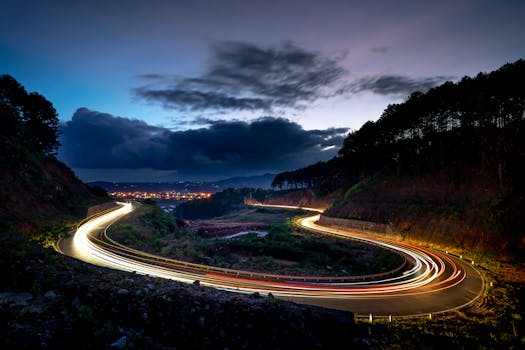
- Leading Lines: Use roads, rivers, or architectural elements to draw the viewer's eye.
- Symmetry & Patterns: Especially effective in urban environments or architectural time-lapses.
- Clean Background: Avoid distracting elements.
- Patience, My Friend:
- Time-lapse is a slow art. You might spend 2-3 hours shooting for a 30-second clip. Embrace the wait. Use the time to observe, reflect, or even read a book.
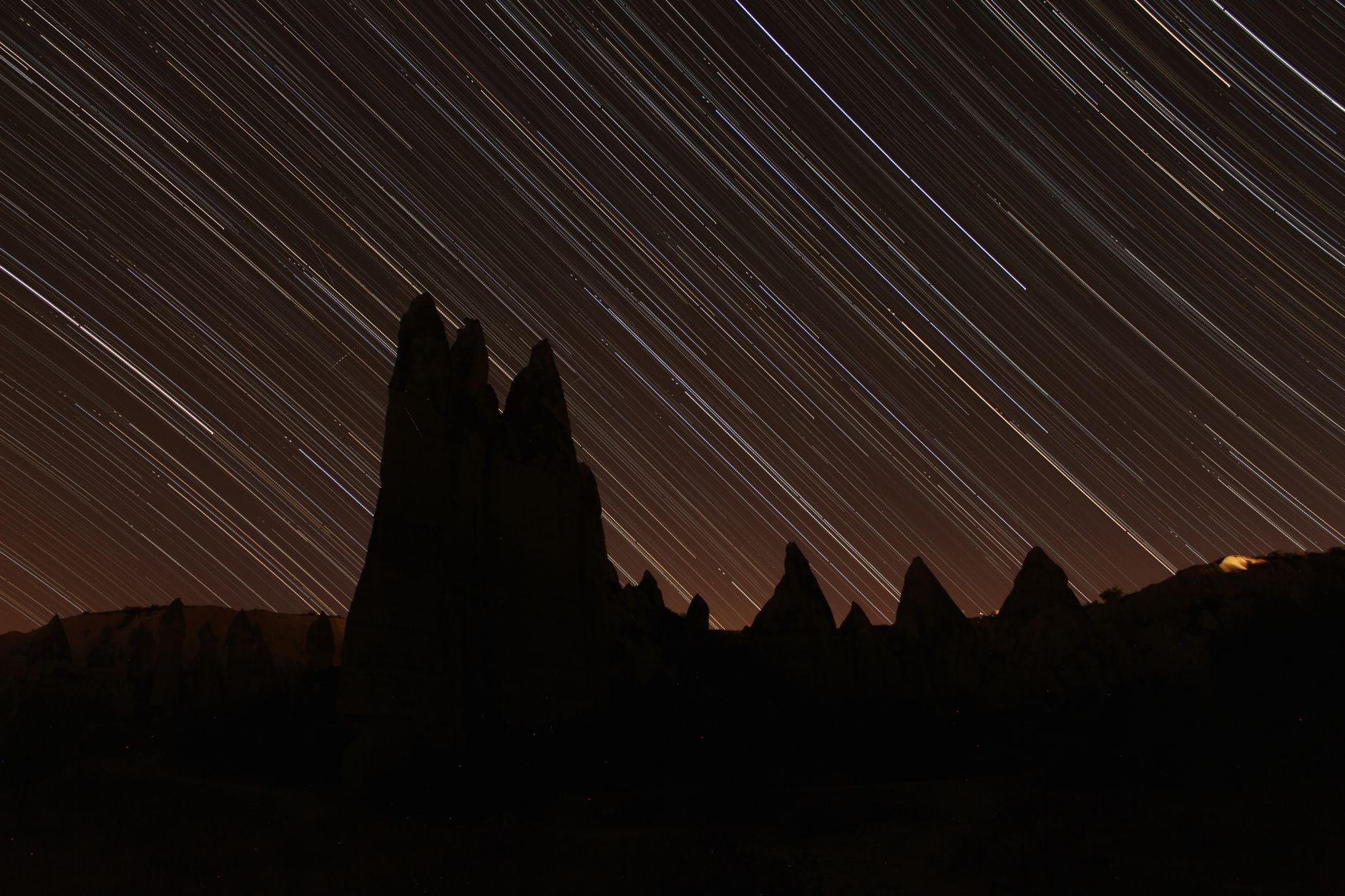
- My most challenging shoot was capturing the Milky Way over Torres del Paine. It required staying out in freezing temperatures (around 0°C/32°F) from midnight until 3 AM. I scouted the spot during the day, noting the mountain peaks and the direction of the Milky Way. The reward? A stunning arc of stars rotating over the majestic peaks. It was worth every shiver.
4. The Nitty-Gritty: Camera Settings for Time-Lapse Mastery
This is where technical precision meets artistic vision. The goal is consistency across all your shots.
- Manual Mode (M):
- ABSOLUTELY ESSENTIAL. Do NOT use auto modes. Any change in exposure, white balance, or focus between frames will result in a flickering, inconsistent video.
- Set everything manually: Shutter Speed, Aperture, ISO, White Balance, Focus.
- Shutter Speed:
- Motion Blur: This is crucial for smooth, cinematic movement. You want moving objects (clouds, water, people) to have a slight blur.
- General Rule: Shutter speed should be roughly half your interval.
- Example: If your interval is 5 seconds, aim for a shutter speed of 2-2.5 seconds.
- Fast Motion (Crowds, Cars): Shorter shutter speeds (e.g., 1/50th sec) to freeze action slightly.
- Slow Motion (Clouds, Stars, Water): Longer shutter speeds (e.g., 1-30 seconds). This is where ND filters shine in daylight.
- For the Tokyo Shibuya Crossing time-lapse, I used a shutter speed of 1/30th second to capture the individual motion of people while still getting enough frames.
- Aperture (f-stop):
- Sharpness: Generally, you want a deep depth of field so everything from foreground to background is sharp.
- Sweet Spot: f/8 to f/11 is often ideal for landscapes. Avoid very wide apertures (f/1.8, f/2.8) unless you're specifically going for a shallow depth of field effect.
- ISO:
- Keep it Low: Always aim for the lowest possible ISO (e.g., ISO 100-400) to minimize noise and maximize image quality.
- Night Time-Lapses: You'll have to bump up ISO (e.g., ISO 1600-6400) for star trails, but be mindful of noise.
- "Holy Grail" (Day-to-Night): For transitions, you'll need to adjust ISO (and shutter speed/aperture) over time. Software like LRTimelapse helps smooth these transitions.
- White Balance (WB):
- Manual/Custom: Set it manually (e.g., "Daylight" or a specific Kelvin temperature like 5500K). Auto WB will cause color shifts.
- Focus:
- Manual Focus: Set your focus manually on your subject (or infinity for landscapes) and then switch your lens to manual focus to lock it. Auto-focus can hunt and ruin a sequence.
- The Interval (Time Between Shots):
- This is the heartbeat of your time-lapse. It dictates how fast motion appears.
- Fast-Moving Clouds/Traffic: 1-3 seconds
- Normal Clouds/People: 3-5 seconds
- Sunrise/Sunset: 5-10 seconds
- Stars/Milky Way: 15-30 seconds (longer allows for more light gathering, but stars will streak more).
- Slow-Moving Subjects (Plants, Construction): 30 seconds to several minutes or even hours.
- Calculation: To get a 30-second video at 24 frames per second (fps), you need 720 photos (30 x 24). If your interval is 5 seconds, the total shooting time will be 720 photos 5 seconds/photo = 3600 seconds = 60 minutes. Plan accordingly!
- RAW vs. JPEG:
- RAW, always RAW. It gives you maximum flexibility in post-production for exposure, color, and white balance adjustments without losing quality. Your files will be larger, but the control is invaluable.
5. Post-Production Power-Up: Bringing Your Time-Lapse to Life
This is where your static images are magically transformed into a dynamic video. It’s a multi-step process, but incredibly rewarding.
- Software Essentials:
- Adobe Lightroom Classic (for batch editing): Essential for applying consistent edits (exposure, contrast, color, sharpening, noise reduction) to thousands of RAW files.
- LRTimelapse (for advanced sequences): Absolutely indispensable for "Holy Grail" time-lapses (day-to-night transitions) and for deflickering your sequences. It works in conjunction with Lightroom. It's a paid software (around €299 for a Pro license, but a free version exists for small projects).
- Adobe Premiere Pro or After Effects (for assembly & final touches): Used to import the image sequence, add music, stabilize, and export the final video. DaVinci Resolve (free version available) is an excellent alternative.
- My Workflow (Simplified):
- Import: Import all your RAW files into Lightroom.
- Keyframe Editing (LRTimelapse & Lightroom): If using LRTimelapse for day-to-night, you'll select a few "key" frames (e.g., beginning, middle, end of transition) and adjust their exposure, WB, etc. LRTimelapse then calculates the smooth transition for all frames in between.
- Batch Edit (Lightroom): For simpler time-lapses, pick one well-exposed frame, make your edits, then synchronize those edits across ALL photos in the sequence. Apply lens corrections and profile corrections.
- Deflicker (LRTimelapse): This is crucial. Even with manual settings, tiny exposure variations can cause annoying flicker. LRTimelapse's visual deflicker tool is a lifesaver.
- Export as Image Sequence: From Lightroom (or LRTimelapse), export all your processed images as high-quality JPEGs (or TIFFs for maximum quality, but larger files).
- Assemble in Video Editor (Premiere Pro/After Effects):
- Import the image sequence (e.g., "File > Import > Select first image > Check 'Image Sequence'").
- Place on timeline. Set clip speed/duration to match your desired frame rate (24, 25, or 30 fps).
- Stabilization: Even with a tripod, slight camera shake (wind, ground vibrations) can occur. Premiere Pro's "Warp Stabilizer" effect is excellent for smoothing out minor jitters.
- Color Grading: Further refine the look.
- Music & Sound Design: This is HUGE. Music sets the mood and emotional tone. Use royalty-free music platforms like Epidemic Sound (around $15/month) or Artlist (around $200/year) for legally licensed tracks.
- Export: Render your final video in a high-quality format (e.g., H.264, 4K resolution if shot in 4K).
- My Anecdote: The first time I used LRTimelapse to process a day-to-night sequence of the Eiffel Tower, I was blown away. I had struggled for ages to get a smooth transition, always ending up with choppy, flickering videos. LRTimelapse not only smoothed the exposure but also helped correct for the subtle color shifts of the changing light. Seeing the raw, flickering frames transform into a seamless, glowing spectacle was pure magic. It felt like I had unlocked a secret power.
6. Advanced Techniques & Creative Twists
Once you've mastered the basics, there are endless ways to elevate your time-lapses.
- Motion Time-Lapse (Sliders & Pan/Tilt Heads): Add dynamic camera movement. A small motorized slider or a pan/tilt head (like the Syrp Genie Mini, around $250-300) can smoothly move your camera during the sequence, adding incredible production value. Imagine a time-lapse of a city skyline where the camera slowly pans across the buildings.
- Hyperlapse: This is time-lapse while moving the camera manually. It's incredibly challenging but produces stunning, often surreal results. You literally take a photo, move the camera a fixed distance, take another photo, move again, and so on. Requires meticulous planning and post-stabilization. I once attempted a hyperlapse through the bustling markets of Hoi An, Vietnam. It took hours of painstaking effort and post-processing, but the final result, weaving through the vibrant stalls, was unlike anything else I'd captured.
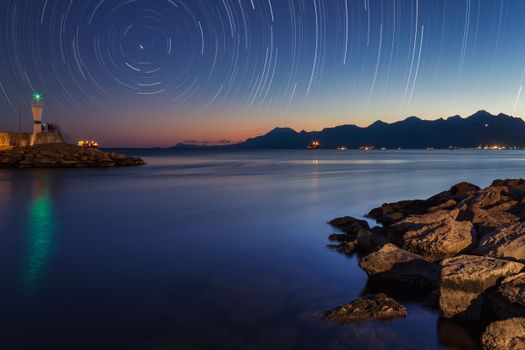
- Astrolapse (Star Trails & Milky Way): Requires extremely dark skies, fast lenses (f/2.8 or wider), and long exposures (15-30 seconds) at high ISO. You'll capture the rotation of the Earth as star trails or the majestic arc of the Milky Way.
- "Holy Grail" Time-Lapse: The ultimate challenge – capturing a smooth transition from day to night (or vice versa) where the exposure changes dramatically. This is where LRTimelapse becomes your best friend, allowing you to gradually adjust camera settings (ISO, shutter speed, aperture) during the shoot and then seamlessly blend them in post-production.
7. My Top 3 Unforgettable Time-Lapse Locations (and How I Did Them)
Here are a few spots that have yielded some of my most cherished time-lapses, along with a peek behind the scenes:
- Santorini Sunset, Oia, Greece:
- The Scene: The iconic white-washed villages clinging to the caldera cliffs, with the Aegean Sea stretching to the horizon.
- My Approach: I found a rooftop vantage point in Oia, away from the immediate crush of tourists, offering a clear view of the sun setting.
- Gear: Sony a7 III, Tamron 28-75mm, Peak Design Tripod.
- Settings: Interval: 5 seconds. Shutter Speed: Varied from 1/100 sec (day) to 2 sec (blue hour). Aperture: f/11. ISO: 100-400. Manual WB.
- Challenges: Managing the crowds that inevitably gathered, ensuring no one bumped my tripod, and handling the drastic light change as the sun dipped. I used LRTimelapse for the smooth day-to-night transition.
- Result: A magical sequence showing the village lights twinkling on as the sky bled from vibrant orange to deep indigo. Pure Instagram gold!
- Milky Way over Torres del Paine, Patagonia, Chile:
- The Scene: The jagged granite peaks under a pristine, unpolluted night sky, dense with stars.
- My Approach: After a day of hiking, I set up my camera near our campsite in the Valle del Francés, aiming towards the Cuernos del Paine, ensuring no light pollution from tents.
- Gear: Sony a7 III, Sony 16-35mm f/2.8 GM (a fast, wide lens is crucial for astrolapse!), sturdy tripod.
- Settings: Interval: 20 seconds. Shutter Speed: 15 seconds. Aperture: f/2.8 (wide open). ISO: 3200-6400. Manual WB (around 3800K).
- Challenges: Freezing temperatures, keeping the lens from fogging up, and the sheer patience required to wait for hours in the dark. Battery life was also a concern.
- Result: A breathtaking arc of the Milky Way rotating above the silhouette of the mountains, with distant cloud movement. A truly humbling experience.
- Tokyo Shibuya Crossing, Japan:
- The Scene: The world's busiest intersection, a torrent of humanity, constantly in motion.
- My Approach: I secured a spot at a café on the second floor of the Tsutaya building overlooking the crossing (Starbucks Shibuya Tsutaya is famous for this, but any elevated spot works). I aimed for late afternoon into early evening to capture the transition.
- Gear: Sony a7 III, Tamron 28-75mm (set at 35mm to capture enough width), Peak Design Tripod (compact enough not to bother other patrons).
- Settings: Interval: 1.5 seconds. Shutter Speed: 1/30th second (to get a slight blur on people). Aperture: f/8. ISO: 100-800 (adjusting as light faded). Manual WB.
- Challenges: Finding a good, stable spot in a crowded area, and the sheer volume of data generated by such a short interval.
- Result: A mesmerizing flow of people, like a human river, with the neon lights of Shibuya coming alive as dusk settled. It perfectly encapsulated the electric energy of Tokyo.
Go Forth and Create!
Time-lapse videography is more than just a technical skill; it's a way of seeing the world, of appreciating the subtle shifts and grand movements that often pass us by. It’s an art form that transforms fleeting moments into lasting, cinematic memories. It's about taking your travel stories to an entirely new dimension.
So, next time you're planning an adventure, don't just pack your bags and your camera. Pack your patience, your vision, and your intervalometer. Seek out those moments of transition – the rising sun, the flowing river, the bustling street, the starry night – and let your camera capture the magic of time itself.
The world is waiting to be compressed into your next epic time-lapse. What breathtaking journey will you capture next? Share your time-lapse adventures with us using #TripsoraTimeLapse – we can't wait to see what you create!
---